Editable paths
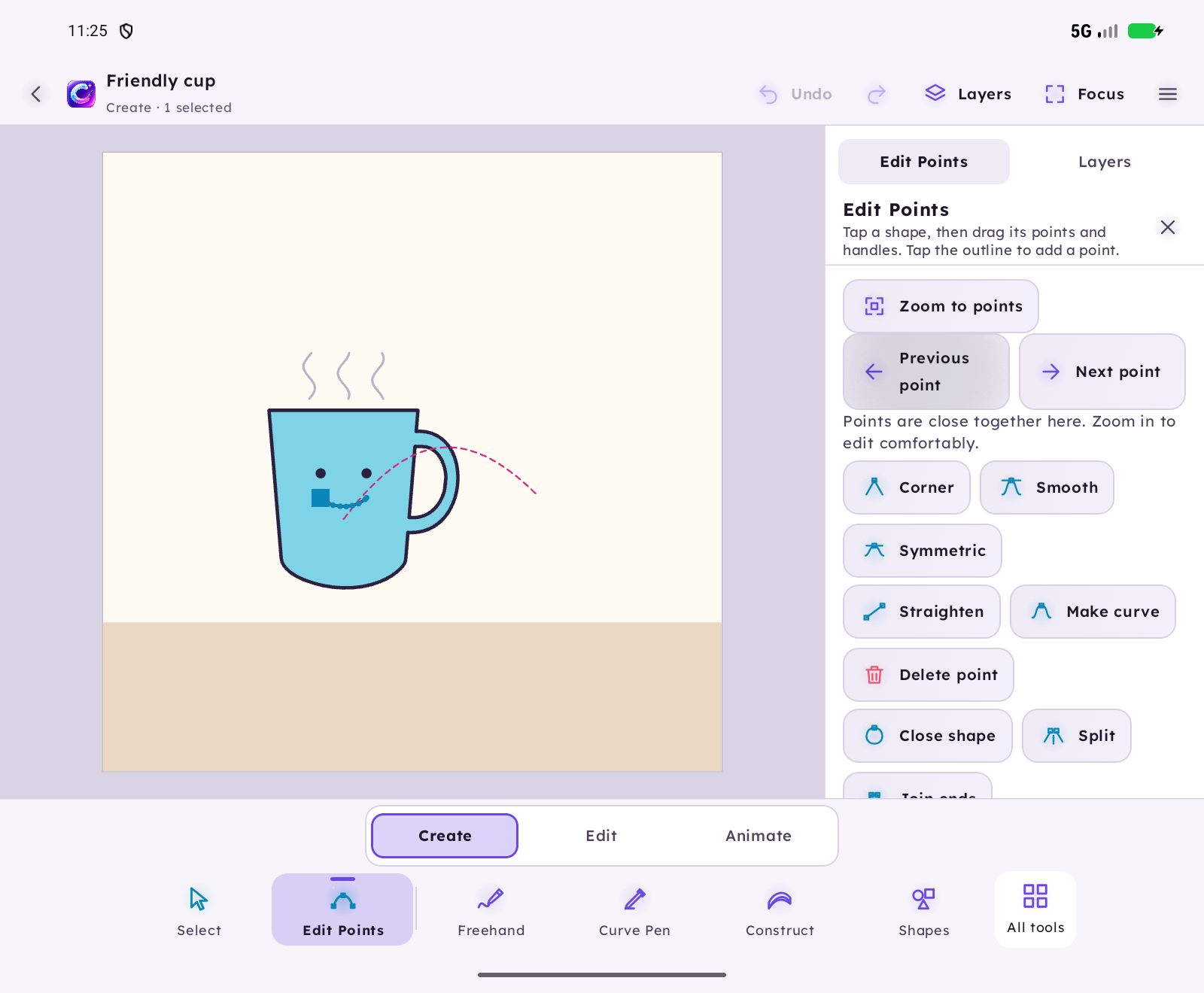
Draw freehand or Bézier paths and adjust them with point handles.
 Draw. Shape. Bring it to life.
 Cyrink by NINETY NINE SOLUTIONS
Create and refine freehand or Bézier paths. Build shapes around guides, combine silhouettes and bring your ideas to life with animation. Projects save locally on your Android device.
0.8.0-beta.8-dev · build 16 · APK 13.5 MiB
Android 8+ · Targets Android 16 · Checked on Android 17
Download new Cyrink betaRelease notes and verificationSHA-256: 42c7138aac335ff1193718dbd5a5f17442787f74c8a6be455a95862440ab4094Cyrink by NINETY NINE SOLUTIONS
Actual animations exported by Cyrink, with editable characters, curves, keyframes and frame drawings.





Draw freehand or Bézier paths and adjust them with point handles.
Create shapes using on-canvas guides, then edit the resulting paths.
Use union, subtract, and intersect to merge or cut shapes.
Move, rotate, and scale paths and shapes directly on the canvas.
Animate paths with keyframes, create frame-by-frame animation, and import sound.
Save projects locally and export as PNG, SVG, GIF, MP4, or project archive.
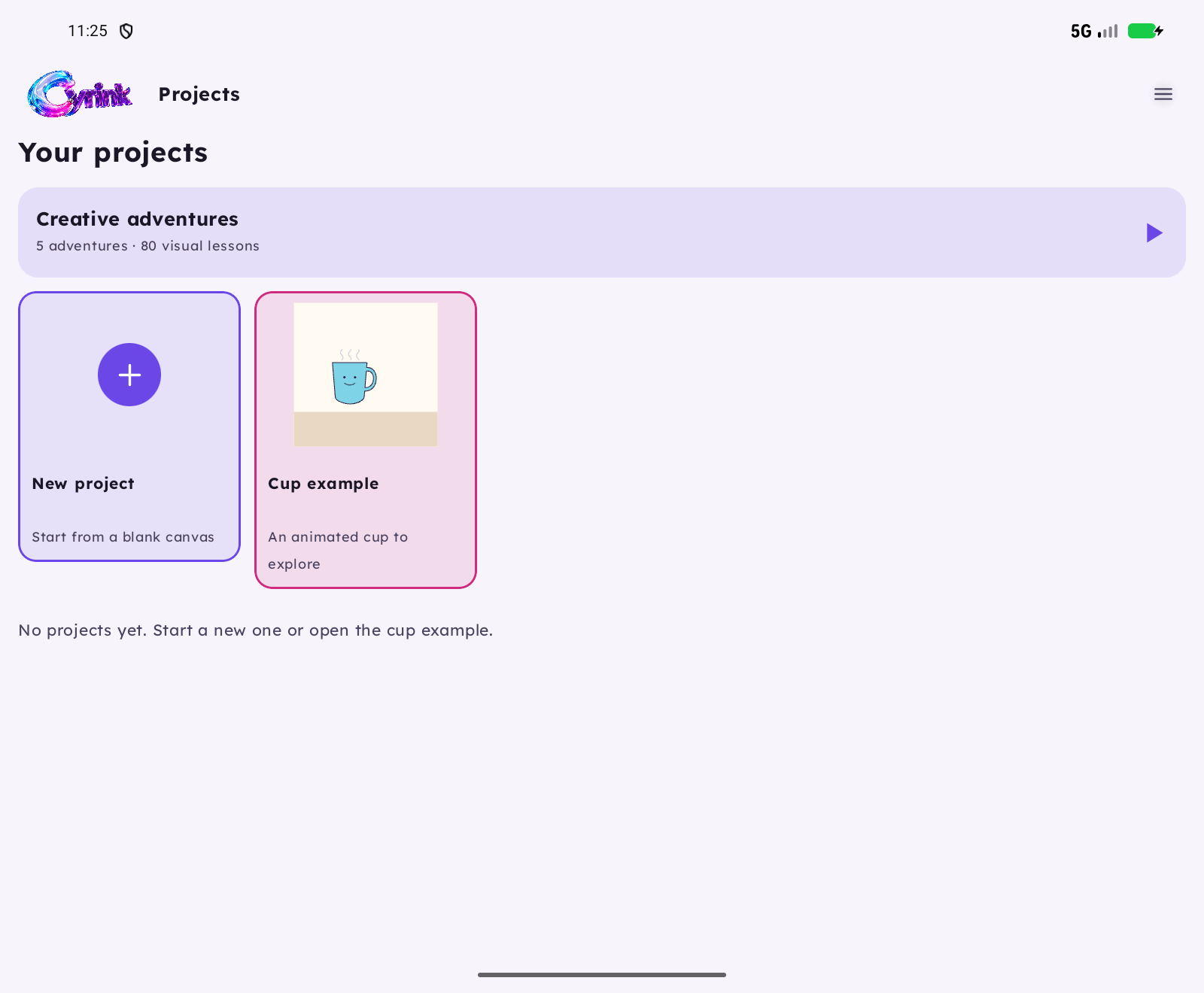
Actual captures from the current Android build. The interface adapts to phones, foldables and tablets.
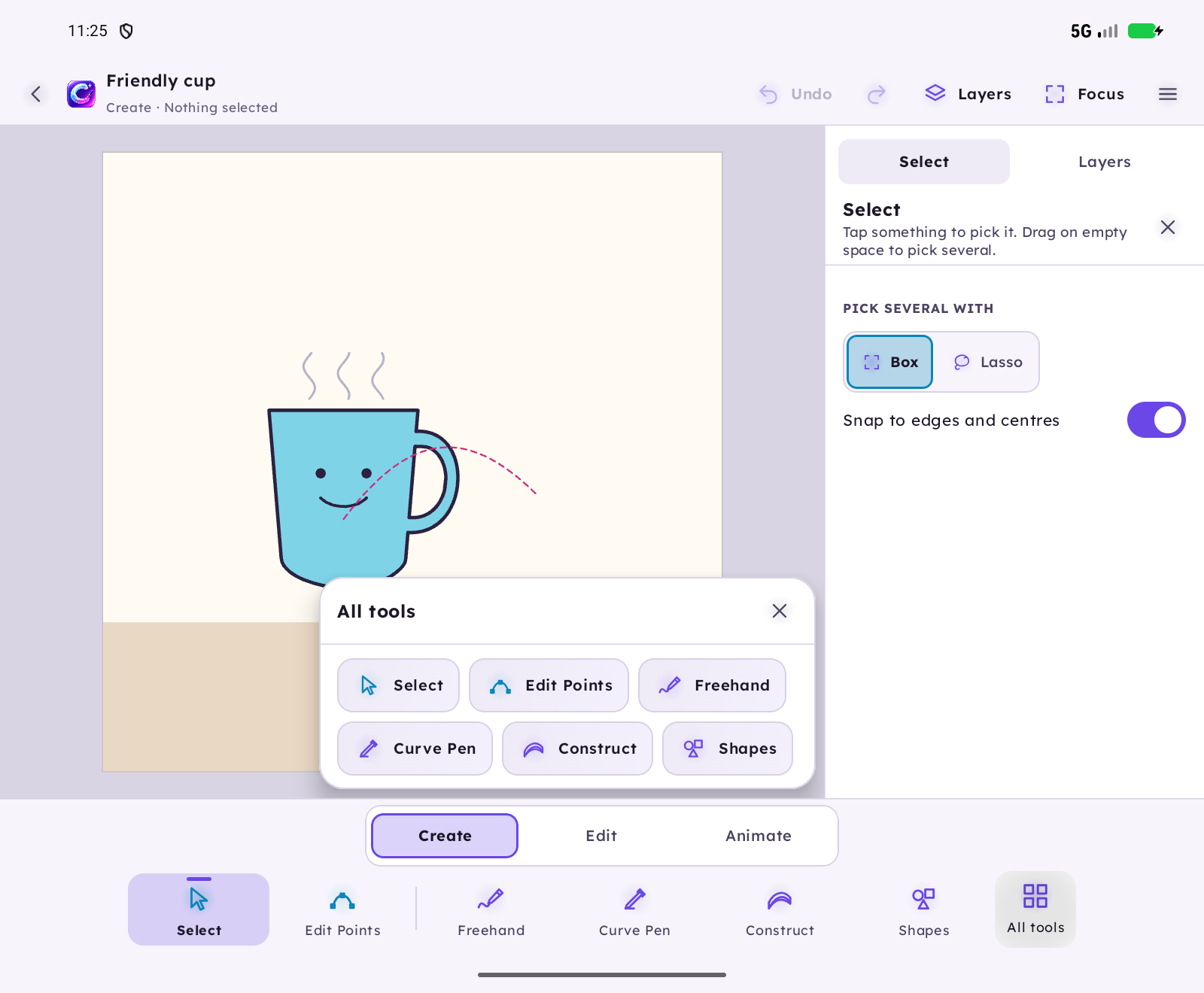
Sketch a freehand or Bézier path, then drag point handles to clean up the shape.
Place guide-built shapes, then use union, subtract, or intersect to form a single result.
Add keyframes or frames, import sound if needed, then export or save the project locally.
No. Cyrink Studio is a separate debuggable development-key app. It does not import legacy projects or include an updater. Earlier downloads are kept in a closed archive.
No. Studio focuses on editable vector paths and shapes. It does not include Live brushes or raster painting tools.
No. This is a development beta. It is not presented as production-reliable software.
Five complete adventures guide you through the tools, with 16 visual steps each.
Original Cyrink is a different generation. Its projects and features are not imported into Studio. Keep it installed if you still use it.
SHA-256 6949902a4165d97148fdd995d17a3bcec8f386a0cb5ca0364a6881ac36cd362dThe practical details for choosing and using this product. Check the selected release notes for feature availability.
Draw freehand or Bézier paths and adjust them with point handles.
Create shapes using on-canvas guides, then edit the resulting paths.
Use union, subtract, and intersect to merge or cut shapes.
Move, rotate, and scale paths and shapes directly on the canvas.
Animate paths with keyframes, create frame-by-frame animation, and import sound.
Save projects locally and export as PNG, SVG, GIF, MP4, or project archive.
Sketch a freehand or Bézier path, then drag point handles to clean up the shape.
Place guide-built shapes, then use union, subtract, or intersect to form a single result.
Add keyframes or frames, import sound if needed, then export or save the project locally.
Projects and imported audio stay on your device. Downloading an APK contacts this website. No account is required.
Separate development-key signed, debuggable app. Physical S Pen testing is pending. No legacy import, Pixel paint, old Live brushes or in-app updater.
No. Cyrink Studio is a separate debuggable development-key app. It does not import legacy projects or include an updater. Earlier downloads are kept in a closed archive.
No. Studio focuses on editable vector paths and shapes. It does not include Live brushes or raster painting tools.
No. This is a development beta. It is not presented as production-reliable software.
Five complete adventures guide you through the tools, with 16 visual steps each.